40. 2 Star Trek Geektastic Layouts
Jul. 24th, 2009 03:08 pm![[identity profile]](https://www.dreamwidth.org/img/silk/identity/openid.png) sireesanwar.livejournal.com posting in
sireesanwar.livejournal.com posting in ![[community profile]](https://www.dreamwidth.org/img/silk/identity/community.png) layoutlounge
layoutloungeLayout Style: S2 Flexible Squares
Features: Sidebar, Scrolling Tags, Custom Page Summary
Layout Width: 800px
Requested By:

Click to see larger image - Live Preview
Header 800 x 241

Header Link Background


Click to see larger image - Live Preview
Header 800 x 184

Header Link Background

Fonts Used:
Swiss911 XCm BT
Swiss911 UCm BT
See the Font Tutorial if you need help adding these fonts to your computer system.
Check out Using Layouts on the sidebar for any extra assistance.
Please direct people to![[livejournal.com profile]](https://www.dreamwidth.org/img/external/lj-community.gif) layout_lounge or graffitigraphic.
layout_lounge or graffitigraphic.
Features: Sidebar, Scrolling Tags, Custom Page Summary
Layout Width: 800px
Requested By:
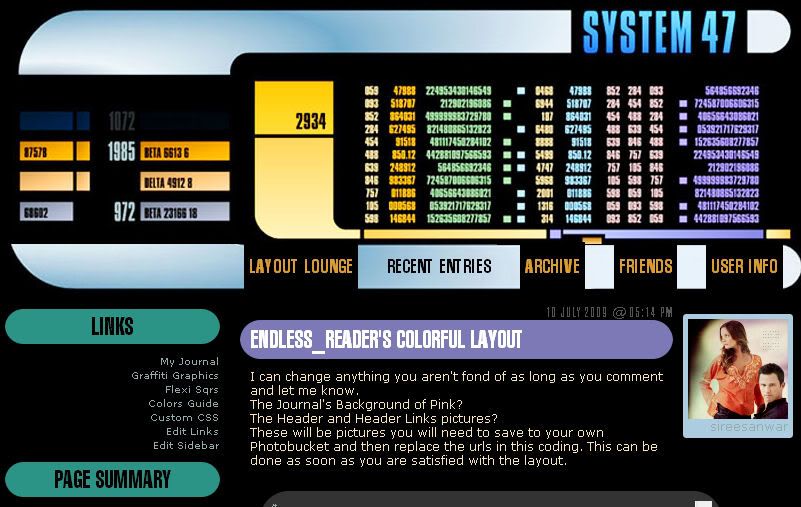
Click to see larger image - Live Preview
Header 800 x 241
Header Link Background
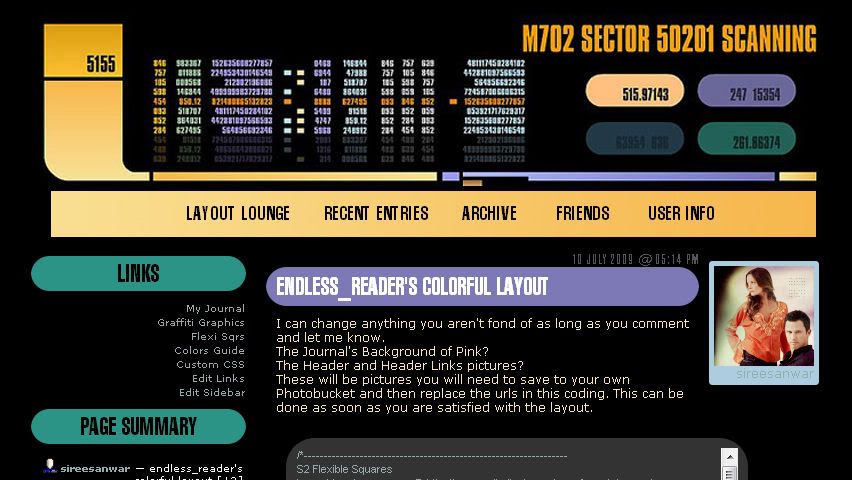
Click to see larger image - Live Preview
Header 800 x 184
Header Link Background
Fonts Used:
Swiss911 XCm BT
Swiss911 UCm BT
See the Font Tutorial if you need help adding these fonts to your computer system.
Check out Using Layouts on the sidebar for any extra assistance.
Please direct people to
layout_lounge or graffitigraphic.


 layout_lounge
(no subject)
Date: 2011-09-26 06:33 am (UTC)Help, if anyone is still watching? Otherwise I'll keep looking for something else. Thanks.
(no subject)
Date: 2011-09-26 08:39 pm (UTC)The backgrounds can remain black. Do you need help piecing together the layout? I can help with that if you like. I also have tutorials about how to implement layouts if that is needed.
(no subject)
Date: 2011-09-26 10:02 pm (UTC)Yes, piecing the layout together isn't going as smoothly as I thought. I have experience with HTML, and granted I didn't keep poking at things very long, but some help would be appreciated. Here's the journal, so you can see what's going on: http://mr-laforge.livejournal.com
The top of the graphic gets sliced off, the two sandwich together so tightly that it cuts off part of the bottom, and the sidebar/entry headers are rectangular rather than circular. Which are the main problems I'm seeing.
It might be worth mentioning I run Chrome primarily, Firefox secondary. I'm not sure how the layout looks in both. But -- thank you in advance!
(no subject)
Date: 2011-09-27 05:32 pm (UTC)(no subject)
Date: 2011-09-27 05:46 pm (UTC)I could define the header image size in the code, but I think that might just add a new problem when it comes to rendering the image properties in different browsers. Still, might work? For science, and all.
(no subject)
Date: 2011-09-27 07:02 pm (UTC)(no subject)
Date: 2011-09-27 10:15 pm (UTC)Thank you so much for the help; it looks gorgeous. Great work! ♥
(no subject)
Date: 2011-09-27 11:42 pm (UTC)(no subject)
Date: 2011-09-28 03:34 am (UTC)(no subject)
Date: 2011-09-28 05:53 pm (UTC)And sometime they just fit.