87. Ribbon Rainbow
Apr. 16th, 2014 04:40 pm![[identity profile]](https://www.dreamwidth.org/img/silk/identity/openid.png) sireesanwar.livejournal.com posting in
sireesanwar.livejournal.com posting in ![[community profile]](https://www.dreamwidth.org/img/silk/identity/community.png) layoutlounge
layoutloungeLayout Style: S2 Flexible Squares
Features: Ribbon Navbar, Sidebar and Subject
Layout Width: 1000px

{ Preview } { Live Blue } { Live Teal } { Live Purple } { Live Red }
Credit:![[livejournal.com profile]](https://www.dreamwidth.org/img/external/lj-community.gif) layout_lounge
layout_lounge
Theme and Layout Change Tutorial
All embedded in coding from Google Fonts
Theme and Layout Change Tutorial
Additional Layout Directions:
Once you've choosen the ribbon color you would like to use:
5. The background image goes in the body coding at the very top of the coding.
6. The header images (Castle, Flowers, Outlander, etc) goes in the .headerimage coding that is located at the very bottom of all the coding.
Ribbon Sidebar:


Ribbon Subject:


Ribbon Navebar:


Headers:


Background Image

More Headers:
More Background Images: Layout Lounge Site
More Tiny Icons: Layout Lounge Site
RULES:
No Hotlinking Images #4 under general
Header can be changed
Background image can be changed or removed.
Credit Necessary.
Features: Ribbon Navbar, Sidebar and Subject
Layout Width: 1000px
{ Preview } { Live Blue } { Live Teal } { Live Purple } { Live Red }
Credit:
layout_loungeTheme and Layout Change Tutorial
All embedded in coding from Google Fonts
Theme and Layout Change Tutorial
Additional Layout Directions:
Once you've choosen the ribbon color you would like to use:
- Add ribbons to your Scrapbook. These images are large, for the most part, and will be resized in PhotoBucket and TinyPics. Make sure to use the original size of the image from Scrapbook.
- Go to the Header Section, find the coding .header and put the Ribbon Navbar direct link where it says HEADER-NAVBAR IMAGE URL.
- Then got to the Sidebar Section and find the coding .sidebar and put the Ribbon Sidebar direct link where it says SIDEBAR IMAGE URL.
- Then got to the Entry Section and find the coding .subject and put the Ribbon Subject direct link where it says SUBJECT IMAGE URL.
5. The background image goes in the body coding at the very top of the coding.
6. The header images (Castle, Flowers, Outlander, etc) goes in the .headerimage coding that is located at the very bottom of all the coding.
Ribbon Sidebar:


Ribbon Subject:


Ribbon Navebar:


Headers:
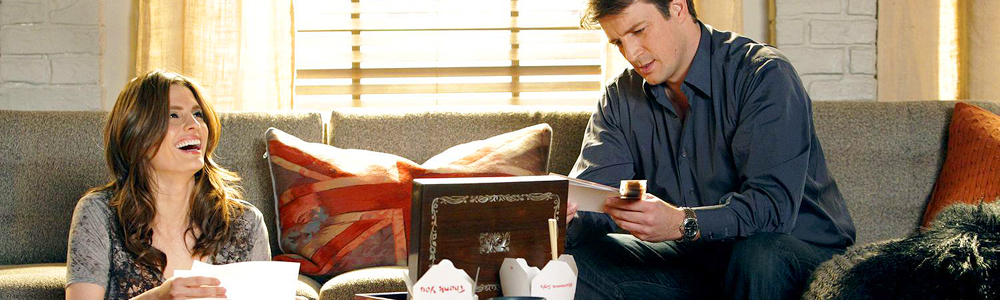



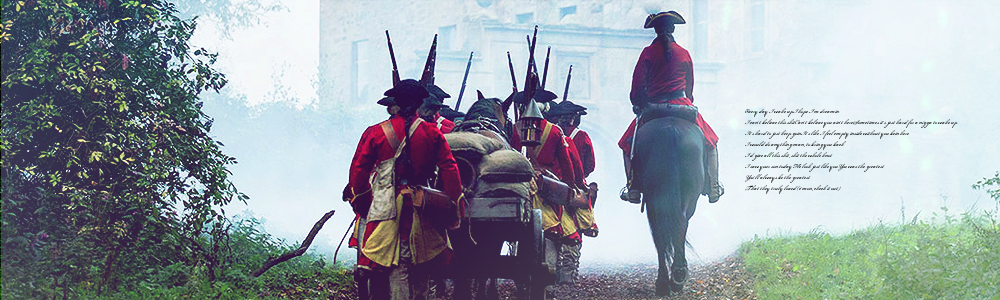
Background Image

More Headers:
More Background Images: Layout Lounge Site
More Tiny Icons: Layout Lounge Site
RULES:
No Hotlinking Images #4 under general
Header can be changed
Background image can be changed or removed.
Credit Necessary.
Having Trouble? Try:
Theme and Layout Change Tutorial or Helpful Hints
If that didn't work. Comment Below with example if possible.
Theme and Layout Change Tutorial or Helpful Hints
If that didn't work. Comment Below with example if possible.


 layout_lounge
(no subject)
Date: 2014-05-20 01:41 pm (UTC)(no subject)
Date: 2014-05-20 08:15 pm (UTC)If you continue to have issues... let me see the problem and I can help you solve it.
(no subject)
Date: 2014-05-21 08:07 am (UTC)What's happening is that the nav bar under the header is not big enough to completely cover it, which makes it look extremely wonky. I can't figure out how to change that either since I did use the original seize of the image. Maybe it's becauseI have a mac or use firefox?
(no subject)
Date: 2014-05-21 06:51 pm (UTC)(no subject)
Date: 2014-05-22 04:26 pm (UTC)Let me see if you can see this:
https://scontent-a-ams.xx.fbcdn.net/hphotos-prn2/t1.0-9/10156034_756433804390598_1481097395346367466_n.jpg
(no subject)
Date: 2014-05-22 11:16 pm (UTC)Yep. I can see it.
(no subject)
Date: 2014-05-23 09:59 am (UTC)Background: https://scontent-a-ams.xx.fbcdn.net/hphotos-ash3/t1.0-9/10156034_756433804390598_1481097395346367466_n.jpg
Sidebar (I think): https://scontent-a-ams.xx.fbcdn.net/hphotos-frc3/t31.0-8/q71/s720x720/10333710_756433807723931_5491659639898387879_o.jpg
Oh Merlin I don't remember the names of these things anymore: https://fbcdn-sphotos-g-a.akamaihd.net/hphotos-ak-frc3/t1.0-9/q71/s720x720/10390272_756433801057265_6757139329771306130_n.jpg
Navstrip: https://fbcdn-sphotos-d-a.akamaihd.net/hphotos-ak-frc3/t31.0-8/q71/s720x720/10275562_756433837723928_3527293700255982673_o.jpg
Header: https://fbcdn-sphotos-f-a.akamaihd.net/hphotos-ak-prn2/t31.0-8/q84/s720x720/10321699_756433847723927_4083918200617351887_o.jpg
It's only the navstrip I had torubles with though... for some reason.
Thank you for all your help!
(no subject)
Date: 2014-05-23 11:16 pm (UTC)The header image is also coming up smaller than it should be. I'm thinking this is the issue. If you can get me bigger images I can upload them into the coding.
Hmmm I also noticed the sidebar image is also coming up smaller. I think FB is resizing them.
(no subject)
Date: 2014-05-26 02:29 pm (UTC)